Comparisons
Best ChatGPT Sidebar Extensions: SideAI vs Sider vs Monica
Compare SideAI, Sider, and Monica by account model, page tools, writing, screenshots, platforms, free access, and the user each fits best.
The best ChatGPT sidebar depends on how you want to access AI. Choose SideAI when you want a focused Chrome sidebar that uses your existing ChatGPT account without an API key. Choose Sider when you want a broad, credit-based suite with several AI models and deep reading tools. Choose Monica when you want a multi-model assistant across browser, desktop, and mobile apps.
We reviewed the products' official pages and help documentation on September 12, 2026. SideAI publishes this comparison. We have direct access to SideAI's product and screenshots; competitor descriptions come from current first-party documentation rather than affiliate claims. Features, quotas, and prices can change, so check each linked product before deciding.
SideAI vs Sider vs Monica at a glance
| Decision factor | SideAI | Sider | Monica |
|---|---|---|---|
| Main approach | Focused ChatGPT browser sidebar and page workflows | Broad multi-model browser suite | Multi-model assistant across browser, desktop, and mobile |
| Account model emphasized | Uses your existing ChatGPT browser session; no API key required | Sider account with access to several models and a credit system | Monica account with model access and daily/monthly query limits |
| Page understanding | Summaries, page questions, selected text | Webpages, PDFs, videos, files, highlighted text | Webpage and multi-page summaries, Q&A, PDFs, images, screenshots |
| Writing help | Writing fields, rewrite actions, custom prompts | AI writing and built-in prompts | Writing assistant, templates, quick compose |
| Screenshot workflow | Select an area, attach it to chat, ask questions | Capture and chat about screenshots | Screenshot button, upload, and image chat |
| Search assistance | Insights beside Google results | Search and web-access tools | Search enhancement and answer engine |
| Free-access description | Core ChatGPT sidebar is free; advanced extension features have limits or Pro access | Free access is available; higher plans add credits and cloud capacity | Official rules list 40 basic queries per day on Free and no advanced queries |
| Best fit | People who already use ChatGPT and value a simpler in-browser workflow | People who want many models and a large browser toolset | People who want one AI account across many devices and content tools |
This table compares product direction, not answer quality. Model availability, account plans, prompt quality, and the source material all affect the output.
How we evaluated the three extensions
We used six questions that map to ordinary browser work:
- Can the assistant stay beside the current page?
- How does it receive page or selected-text context?
- Can it help inside writing fields?
- Can it capture and discuss screenshots?
- Does it prioritize an existing ChatGPT account or provide its own multi-model service?
- What does the official source say about free access and limits?
We did not invent a numeric winner score. A score would hide the main tradeoff: SideAI is intentionally focused, while Sider and Monica advertise much broader suites.
SideAI: best for using your existing ChatGPT account
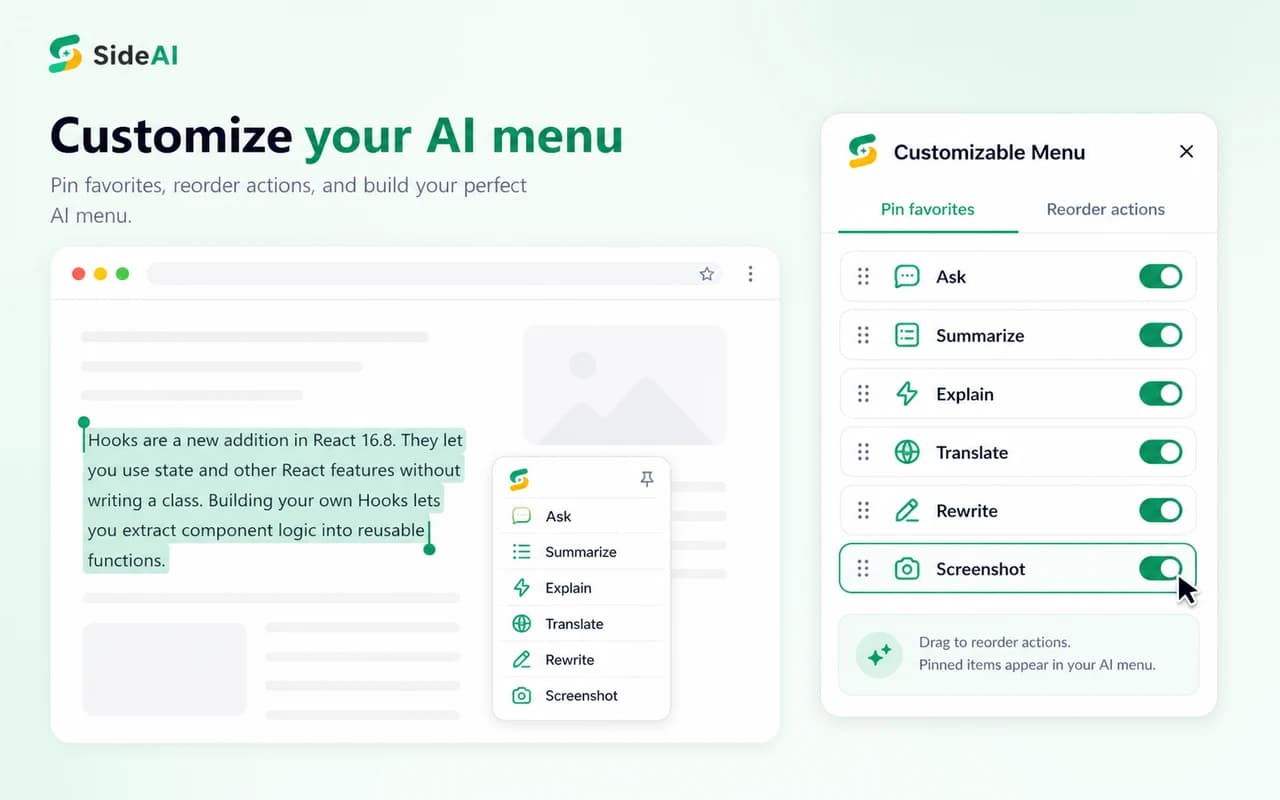
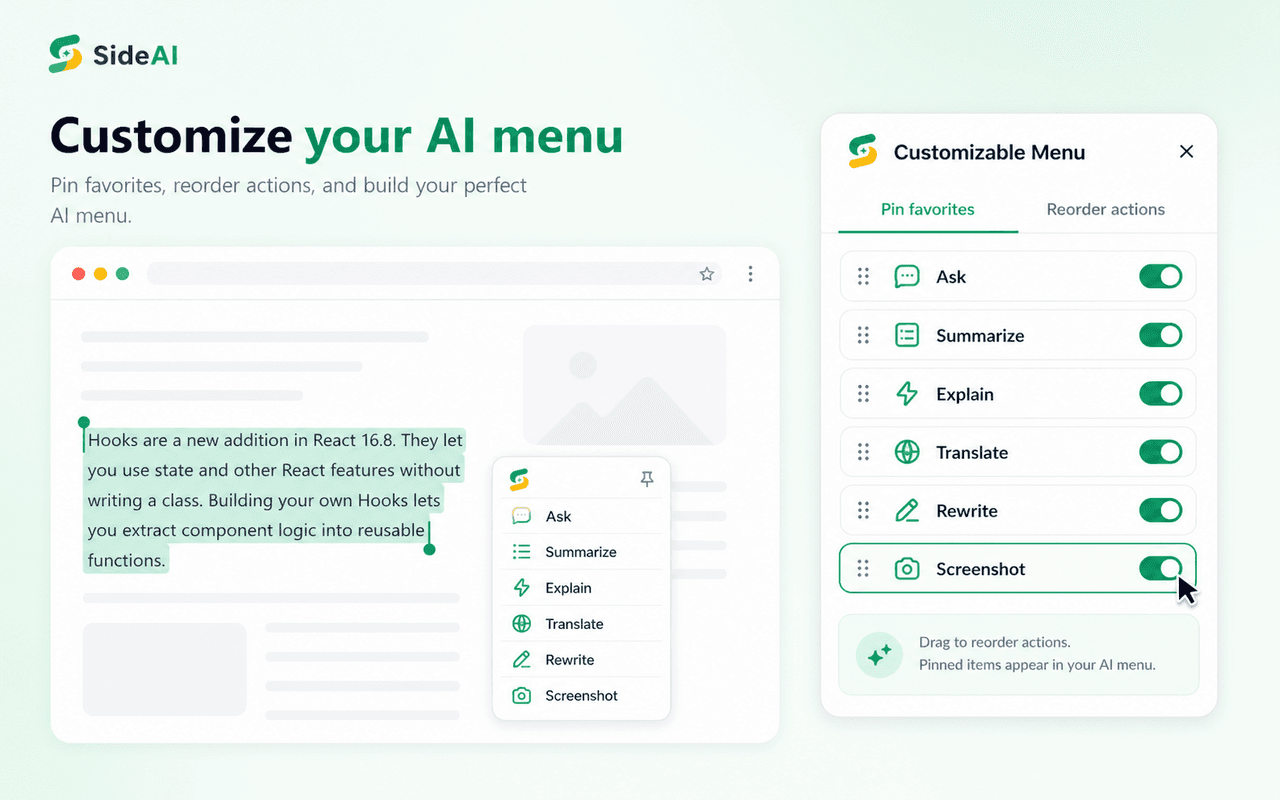
SideAI keeps ChatGPT in Chrome's side panel and uses the ChatGPT session associated with the user's account. Its official Chrome Web Store listing says no API key is required and the core sidebar is free. The listing also describes selected-text actions, a Writing Assistant, a Page Assistant, Google Search insights, screenshot capture, custom prompts, and customizable menus.
The practical advantage is familiarity. If ChatGPT already fits your work, you do not need to learn a separate model marketplace or manage another pool of AI credits just to keep it beside a webpage. ChatGPT models and message limits still depend on your own OpenAI account.
SideAI fits you if:
- You already use ChatGPT regularly.
- You want a sidebar without creating an API key.
- You value page, selection, writing, search, and screenshot shortcuts around that session.
- You prefer a focused extension over a large AI platform.
Consider another option if: you primarily want many model providers inside one subscription, a separate desktop/mobile assistant, AI video creation, or an extensive PDF knowledge workspace.
Sider: best for a broad multi-model browser suite
Sider positions itself as a multi-model sidebar. Its official Sider Chat page lists ChatGPT, Claude, Gemini, Grok, DeepSeek, and other models in one panel, including the ability to ask multiple models and compare their answers. It also describes webpage, PDF, video, search-result, selected-text, and translation workflows.
The current Sider pricing page says all plans include all features and that higher plans provide more credits and a stronger cloud computer. It also promotes browser automation, page customization, image and video creation, ChatPDF, translation, data analysis, and other tools. That breadth is the reason to choose it—and the reason it may feel heavier if all you need is ChatGPT beside a page.
Sider fits you if:
- You want to switch among several model providers.
- Comparing answers from multiple models is part of your workflow.
- You work with PDFs, videos, translations, and knowledge collections.
- You prefer a broad suite and are comfortable tracking credits.
Consider another option if: you mainly want the ChatGPT account you already use in a lightweight Chrome sidebar.
Monica: best for a multi-device AI workspace
Monica is also a broad multi-model product, but its strongest distinction is reach across devices. The official Monica overview describes Chrome and Edge extensions plus desktop and mobile apps. Its browser tools include AI chat, summary, writing, search, translation, art, a smart toolbar, and web enhancement.
Monica's webpage summarization guide documents current-page and multi-page summaries, follow-up questions, and links from summary points back to source positions. Its Read guide also covers PDFs, uploaded images, and browser screenshots.
The official advanced-credit rules, effective January 2, 2026, list 40 basic queries per day for the Free plan and no advanced queries. Paid tiers add monthly query allowances and advanced credits. Confirm those limits before choosing because the company says its usage rules can change.
Monica fits you if:
- You want one assistant across browser, desktop, and mobile.
- Multi-page summaries and cross-platform history matter.
- You use AI for writing, translation, search, images, and video as well as chat.
- A Monica-managed model and query system suits you.
Consider another option if: you want the smallest path from your existing ChatGPT session to the current Chrome tab.
Which sidebar is best for each task?
Keeping ChatGPT beside any Chrome page
SideAI is the clearest fit when the phrase “ChatGPT sidebar” means the ChatGPT account you already use. It keeps the account and model relationship familiar while adding browser actions around it. Read the own-account setup guide for the exact flow, or use the practical Chrome extension checklist to evaluate permissions and page behavior.
Sider and Monica can also remain beside a webpage, but their official positioning centers on access to their wider model and tool ecosystems.
Comparing answers from several AI models
Sider is the strongest match among these three based on its current official description. Its Chat page explicitly promotes asking multiple models and comparing the responses in one sidebar. Monica also provides several model families, while SideAI's central promise is the user's ChatGPT session.
Working across phone, desktop, and browser
Monica is the strongest fit because it documents browser, Windows/macOS desktop, and mobile apps under one account. SideAI is designed around Chrome and compatible Chromium browsers. Choose based on where the work happens, not the length of the feature list.
Asking about a webpage or screenshot
All three advertise page and screenshot workflows. SideAI makes these actions part of a focused Chrome experience. Sider connects them to its multi-model and file tools. Monica connects them to Read, multi-page summary, and its cross-platform suite.
The quality test is the same for each: use a page you understand, ask for named facts and evidence, and compare the answer against the source. A sidebar makes context easier to send; it does not make AI output automatically correct.
Adding AI answers beside Google Search
SideAI includes Search Insights beside Google results. This differs from a general chat sidebar and from extensions that redirect address-bar searches. The ChatGPT for Google Search guide explains the three patterns and a source-checking test.
How to choose without paying for the wrong tool
Run the same short test in each product's free access before subscribing:
- Open a normal article and ask for three key points.
- Select one difficult paragraph and ask for a simpler explanation.
- Rewrite a short email in a specific tone.
- Capture one visual area and ask what it shows.
- Reopen the same conversation and check whether the workflow is easy to resume.
Record whether the result was correct, how many clicks the task required, whether the right context was obvious, and which limit you reached. That evidence is more useful than a feature checklist copied from marketing pages.
Pricing and free access need careful reading
“Free” means something different for each product:
- SideAI: the core sidebar uses your ChatGPT account without an API key. Advanced extension actions have free limits or optional Pro access. Your ChatGPT plan remains separate.
- Sider: the product offers free access and uses credits; its pricing page says higher plans add more credits and cloud capacity. Check the live plan selector for the current allowance and price.
- Monica: its January 2026 rules list 40 basic queries per day on Free, with advanced usage reserved for paid credits or trial rules.
Do not compare only the monthly number. Check whether the plan includes the models and actions you use, how credits are consumed, whether your history syncs, and whether the browser extension is the whole product or one part of a wider subscription.
Privacy and account questions to ask
Before installing any browser assistant, review its permission dialog and privacy policy. Ask:
- Which action sends page content to an AI service?
- Can I choose selected text instead of the entire page?
- Is conversation history stored by the extension, by the AI provider, or both?
- Does the product use my existing provider account or its own service account?
- Can I remove stored data and revoke access?
SideAI's current Chrome listing states that the developer has disclosed it will not collect or use user data and links to its privacy policy. That statement does not replace the policies of ChatGPT or any website content you choose to send.
Frequently asked questions
Is SideAI the same product as Sider?
No. SideAI and Sider are separate products from different developers. Similar names can be confusing, so verify the developer website and extension ID before installation. SideAI's official extension ID ends in hcjmcpfahioghphbgfokmijhkccofkci.
Is Monica or Sider better than SideAI?
They are better for different jobs. Sider is a strong choice for multi-model comparison and a broad browser suite. Monica is strong across browser, desktop, and mobile. SideAI is a better fit for people who want a focused Chrome workflow using their existing ChatGPT session without an API key.
Can I use these extensions for free?
All three offer some form of free access, but their models and limits differ. SideAI keeps the core ChatGPT sidebar free while ChatGPT's own limits still apply. Sider uses credits. Monica's official January 2026 rules list 40 basic queries per day for its Free plan.
Which extension is best for webpage summaries?
All three can summarize webpages. SideAI is simpler when the page summary should continue into your own ChatGPT conversation. Sider adds multi-model, PDF, and video workflows. Monica documents current-page and multi-page summaries with follow-up questions and source-location features.
Which extension should a ChatGPT Plus user choose?
Start with SideAI if the goal is to keep the existing ChatGPT account beside Chrome pages. Confirm that the models and limits shown in the sidebar match the OpenAI account. Consider Sider or Monica if access to other model providers is more important than reusing that ChatGPT experience.
The right choice is the one that removes your actual friction
Choose SideAI for a focused own-account ChatGPT sidebar, Sider for a broad multi-model browser environment, or Monica for an assistant that follows you across devices. Test one real page, one writing field, and one screenshot before paying. The fewest clicks and the clearest context usually matter more in daily work than the longest feature list.
Written and reviewed by the SideAI team using hands-on product tests and cited sources. AI may assist with drafting; a person checks the workflow, claims, links, and final copy before publication.